A digital drink menu doesn't have to look the same in every bar.
A brewery with 20 rotating taps needs something different from a cocktail bar with eight signature drinks. A neighborhood pub serving beer, wine, and cocktails has its own set of problems.
The menu needs to fit what's actually being served.
And while there's no shortage of digital menu templates, a good-looking screen doesn't necessarily make a useful menu.
The better question is: what should your digital drink menu look like for the way your bar operates?
Here are seven practical digital drink menu examples, with sample structures you can adapt to your own venue.
1. The Classic Brewery Tap List
Best for: Breweries and taprooms with a rotating draft beer selection.
This is probably the most recognizable digital beer menu.
A large TV behind the bar shows the current tap list, usually organized by tap number or beer style.
The goal is simple. Guests should be able to see what's pouring, understand their options, and decide what to order.
Example Layout
| Tap | Beer | Style | ABV | 16 oz |
|---|---|---|---|---|
| 01 | House Pils | Pilsner | 4.8% | $6 |
| 02 | West Coast | IPA | 6.5% | $7 |
| 03 | Hazy Days | Hazy IPA | 6.8% | $7 |
| 04 | Dark Matter | Stout | 5.6% | $7 |
Illustrative beer names and prices.
Why It Works
Every beer follows the same structure.
Guests can compare styles, alcohol content, and prices without reading a paragraph for each option.
Tap numbers also make it easier to connect the menu to the physical taps.
This format works particularly well for breweries that rotate beers frequently but want to keep the same menu structure.
When a keg kicks, the beer changes.
The layout doesn't have to.
2. The Beer Menu Organized by Style
Best for: Craft beer bars with a large selection of breweries and styles.
Not every guest walks into a craft beer bar knowing which brewery they want.
Some just want an IPA.
Others are looking for something light, dark, sour, or low in alcohol.
For these guests, organizing the digital beer menu by style can be more useful than listing everything by tap number.
Example Layout
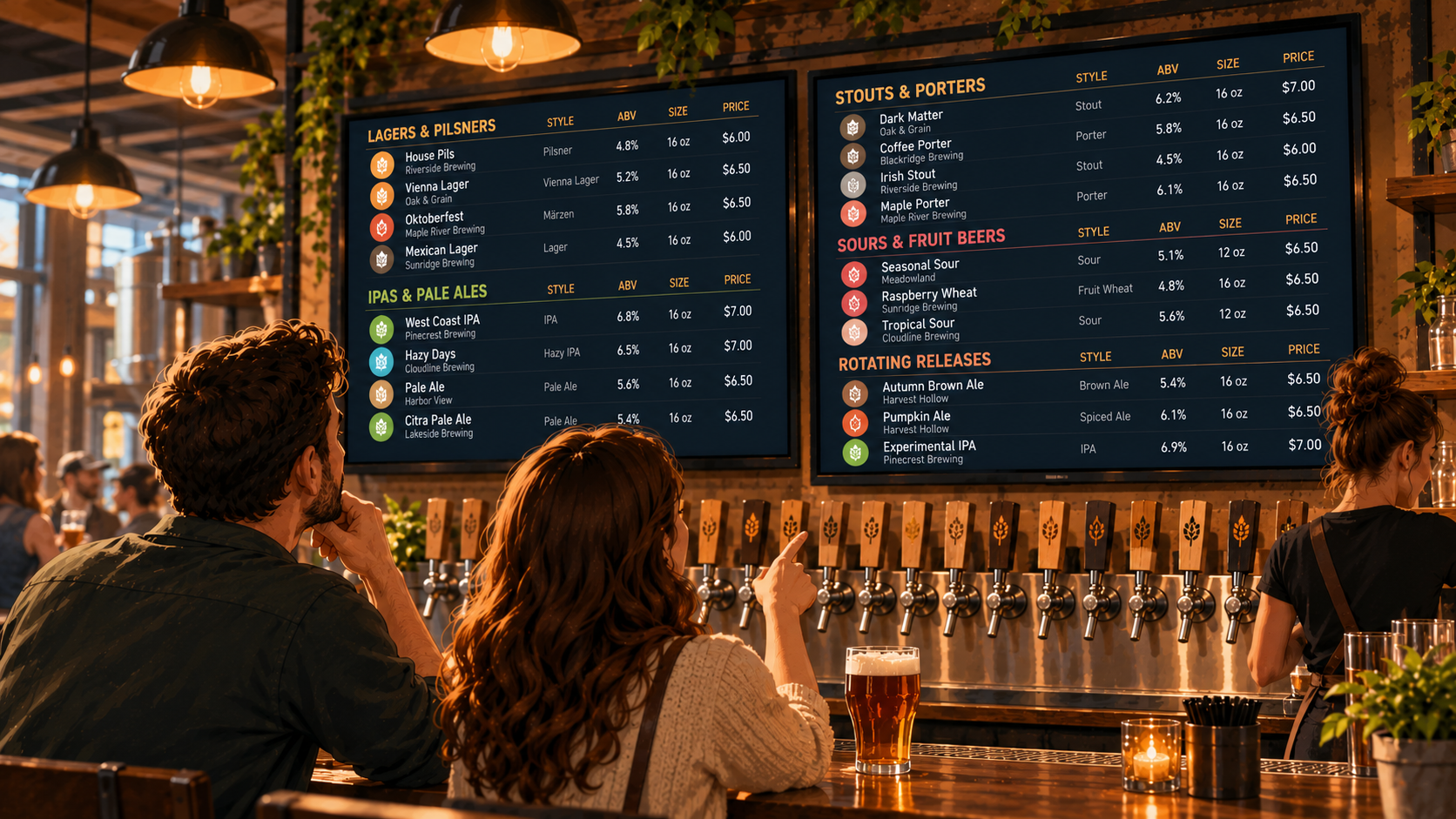
LAGERS & PILSNERS
- House Pils | 4.8% ABV | $6
- Vienna Lager | 5.2% ABV | $7
IPAS & PALE ALES
- West Coast IPA | 6.5% ABV | $7
- Hazy Pale Ale | 5.6% ABV | $7
STOUTS & PORTERS
- Coffee Porter | 6.2% ABV | $8
- Dry Irish Stout | 4.5% ABV | $7
Illustrative menu example.
Why It Works
The categories do some of the explaining.
A guest looking for a lager doesn't have to scan 20 unrelated beers to find one.
It also helps people who are unfamiliar with specific breweries but know which styles they enjoy.
The tradeoff is space.
If you have too many categories, the menu can become crowded. Keep groupings broad enough that guests can find what they're looking for without navigating a beer encyclopedia.
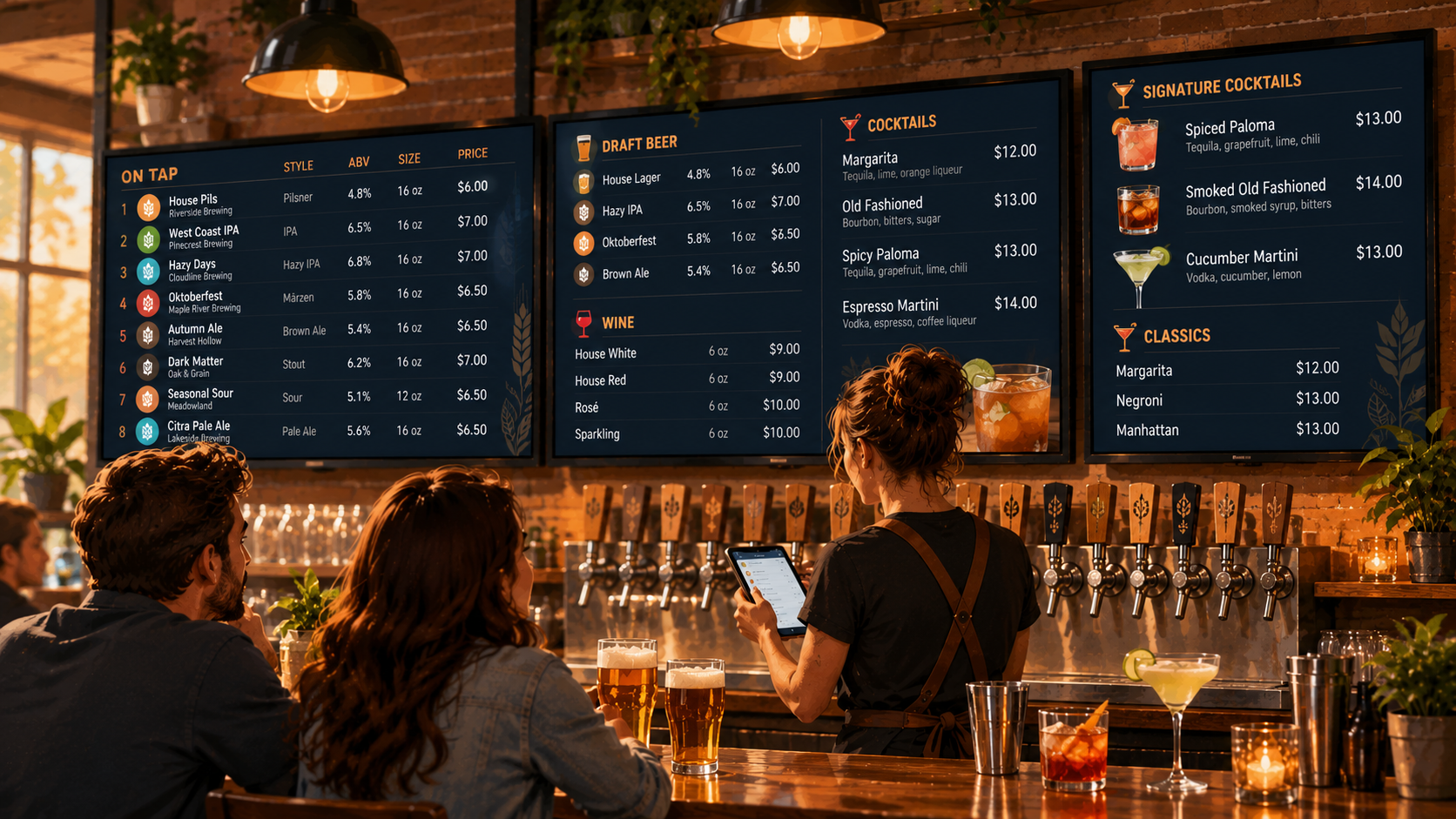
3. The Mixed Beverage Menu
Best for: Neighborhood bars, pubs, and restaurants serving beer, wine, and cocktails.
A beer-only menu is straightforward.
A menu covering several beverage categories takes a little more planning.
You don't want guests searching through a long list of beers just to find the house margarita.
The simplest approach is to give each beverage category its own clearly defined section.
Example Layout
DRAFT BEER
- House Lager | 4.8% | 16 oz | $6
- Hazy IPA | 6.5% | 16 oz | $7
COCKTAILS
- Margarita | Tequila, lime, orange liqueur | $12
- Old Fashioned | Bourbon, bitters, sugar | $13
WINE
- House White | 6 oz | $9
- House Red | 6 oz | $9
Illustrative menu example.
Why It Works
Guests can go directly to the type of drink they want.
It also gives you flexibility to present different information for different beverages.
Beer needs style and ABV.
Cocktails benefit from short ingredient descriptions.
Wine usually needs a name, variety or style, serving size, and price.
There's no reason to force every beverage into the exact same format.
The important thing is consistency within each category.
4. The Minimalist Digital Drink Menu
Best for: Small bars, restaurants, and venues with a limited beverage selection.
Sometimes the best digital menu is the simplest one.
If your bar serves six draft beers and a handful of cocktails, you probably don't need an elaborate menu with several screens and complicated categories.
A short, readable list may be all you need.
Example Layout
ON TAP
House Lager | 4.8% | $6
West Coast IPA | 6.5% | $7
Amber Ale | 5.4% | $7
Dry Stout | 4.6% | $7
HOUSE COCKTAILS
Margarita | $12
Negroni | $13
Old Fashioned | $13
Illustrative menu example. Beer prices assume one standard serving size.
Why It Works
There's very little for guests to figure out.
The menu shows what's available and what it costs.
That's enough for plenty of venues.
A minimalist layout also works well when the TV is relatively small or guests are viewing it from farther away.
Just don't confuse minimalism with leaving out useful information.
If your beers come in different serving sizes, show those sizes. If a cocktail name doesn't explain what's in it, a short description may still be helpful.
Simple is good.
Incomplete isn't.
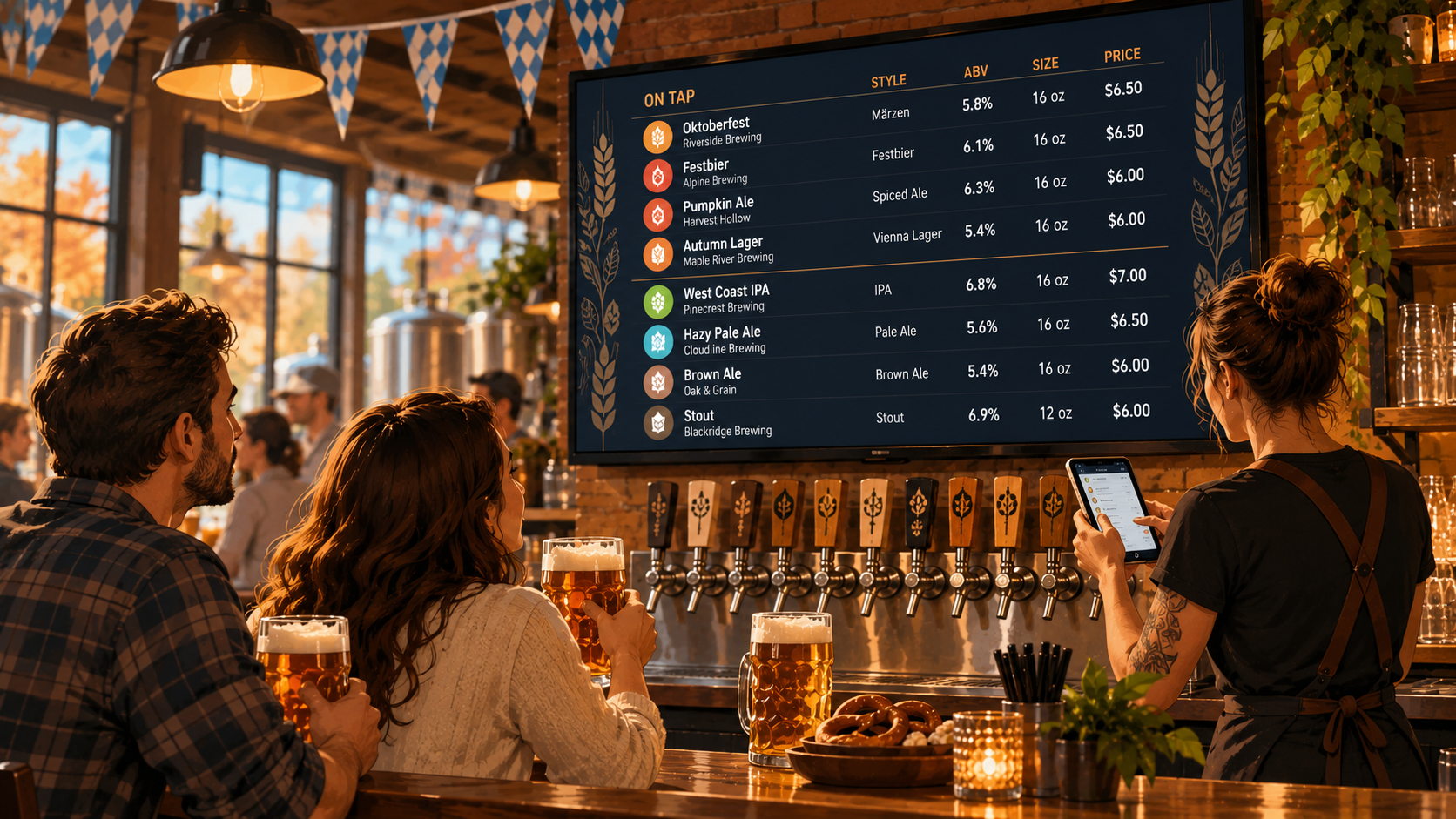
5. The Seasonal Beer Menu
Best for: Breweries and taprooms featuring rotating releases or limited-time selections.
Seasonal releases are a regular part of brewery operations.
Spring brings lighter beers. Summer introduces new releases. Fall brings Oktoberfest lagers and darker styles.
Your digital drink menu should be able to accommodate those changes without looking completely different every month.
One approach is to keep the regular lineup visible while giving seasonal beers a clearly identified section.
Example Layout
YEAR-ROUND FAVORITES
- House Lager | 4.8% | $6
- Flagship IPA | 6.5% | $7
- Dry Stout | 4.6% | $7
SEASONAL RELEASES
- Oktoberfest Märzen | 5.8% | $7
- Autumn Brown Ale | 5.4% | $7
- Maple Porter | 6.2% | $8
Illustrative menu example.
Why It Works
Guests can immediately distinguish familiar beers from temporary releases.
Regular customers can find their usual order while anyone looking for something new can explore the seasonal options.
This structure is especially useful when your brewery has a stable core lineup alongside frequent rotations.
The seasonal section changes.
The rest of the menu stays familiar.
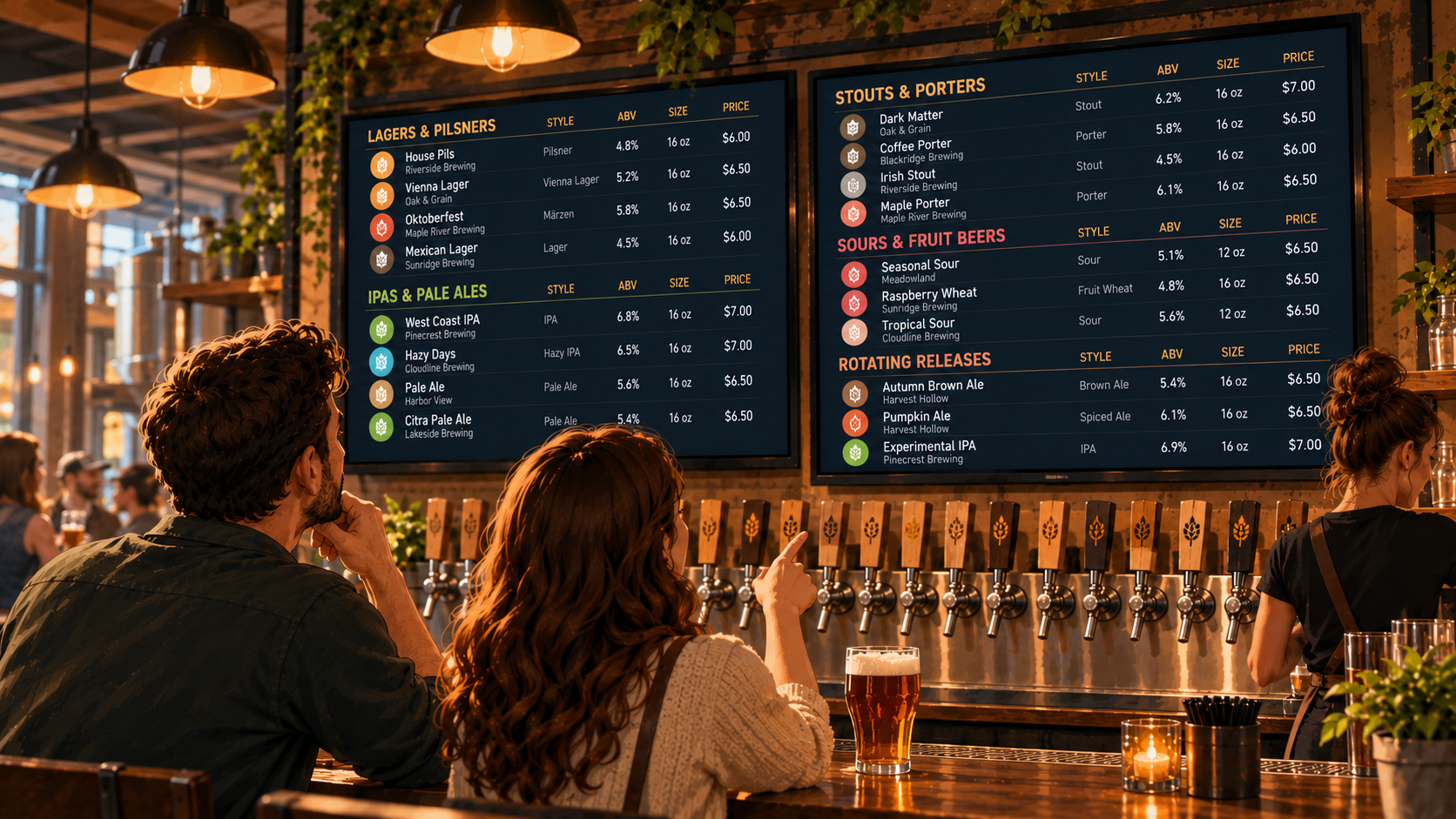
6. The Multi-Screen Digital Beer Menu
Best for: Large taprooms, beer halls, and breweries with extensive beverage selections.
If you have 24 taps, trying to squeeze every beer onto one TV might not be the best idea.
You can make the text smaller.
You can remove descriptions.
You can keep adjusting the spacing.
But at some point, you're asking guests to read a spreadsheet from across the room.
A better approach may be to divide the menu across multiple screens.
Example Layout
SCREEN 1: TAPS 1–12
Lagers, pilsners, pale ales, and IPAs.
SCREEN 2: TAPS 13–24
Stouts, porters, sours, seasonal beers, and specialty releases.
Why It Works
Each beer gets more room.
Guests can read the menu without standing directly underneath the TV.
You can also organize screens according to your tap layout or beverage categories, depending on what makes sense for your bar.
The important part is making the division obvious.
If someone has to guess which screen contains the beer they're looking for, the setup needs another look.
For venues considering multiple screens, Pourwall Premium supports unlimited TV screens, making it an option for larger beverage menus.
7. The Cocktail-Focused Digital Menu
Best for: Cocktail bars, restaurants, and venues with a curated drink selection.
Cocktail menus work a little differently from beer menus.
Guests may recognize a margarita or negroni, but signature cocktails often need a little more explanation.
That doesn't mean writing a full recipe on the screen.
A short list of ingredients can usually do the job.
Example Layout
SIGNATURE COCKTAILS
The House Margarita
Tequila, lime, orange liqueur
$12
Spiced Paloma
Tequila, grapefruit, lime, chili
$13
Espresso Martini
Vodka, espresso, coffee liqueur
$14
CLASSICS
Negroni | $13
Old Fashioned | $13
Martini | $14
Illustrative menu example.
Why It Works
The menu gives guests enough information to understand what they're ordering without overwhelming them.
Signature drinks get short descriptions.
Recognizable classics can remain simple.
If your cocktail selection changes seasonally, you can keep the same structure while updating the drinks.
The goal is to help someone choose a cocktail, not make them read the entire recipe book.
How to Choose the Right Digital Drink Menu Layout
Looking at examples is useful.
But the best layout depends on your actual beverage list.
Before choosing a digital drink menu structure, ask yourself a few practical questions.
How many drinks do you offer?
A six-tap bar doesn't need the same layout as a brewery with 30 rotating beers.
How often does your menu change?
If your lineup changes every week, choose a structure that makes individual product updates easy.
What information do guests need?
Beer drinkers may want style, ABV, serving size, and price. Cocktail guests may need ingredients. Wine drinkers may want the grape variety and pour size.
Where will guests see the menu?
A TV behind the bar needs to be readable from a distance. A QR menu viewed on a phone has different space considerations.
Does your menu appear in more than one place?
If you use TVs, printed menus, QR codes, and a website, consider how you'll keep the information consistent.
The answers matter more than whichever template looks nicest in a screenshot.
Build a Menu That Fits Your Bar
There's no single digital drink menu layout that works for every venue.
A brewery with rotating taps may need a structured beer list.
A neighborhood bar may benefit from clear beer, wine, and cocktail sections.
A small taproom might need nothing more than a simple, readable menu.
The best examples have one thing in common.
They make it easy to understand what's available.
Pourwall helps bars, breweries, and restaurants create and manage digital beverage menus without rebuilding a design every time the drink list changes.
You can update your menu from your phone, tablet, or computer, and changes appear on connected TV screens in real time.
Pourwall Premium also supports multiple screens, QR menus, printed menus, and website embeds for venues that need their beverage information in more than one place.
Start with the information your guests actually need.
Choose a structure that fits your beverage list.
And keep the menu current.
A good digital drink menu doesn't need to be complicated.
It just needs to help someone order a drink.