If you're looking for a DigitalPour alternative, the first question isn't which platform has the longest feature list.
It's what you actually need the software to do.
Maybe you want to put your tap list on a few TVs and update it when a keg kicks. Maybe you also need printed menus, a website menu, and a way to track draft inventory.
Those are different jobs.
DigitalPour offers more than digital beer menus. It combines menu displays with inventory tools, POS integrations, reporting, and a guest-facing app.
Other platforms focus more narrowly on keeping beverage menus updated.
Before choosing an alternative, here's what bars and breweries should compare.
1. What do you actually need your digital menu software to manage?
Start with the work you're trying to get off your plate.
If your main problem is an outdated tap list, you probably need a straightforward way to edit beers and publish those changes to your screens.
If you're also trying to track keg performance, analyze sales, or connect beverage information to your POS, you'll need to look at a broader set of features.
DigitalPour is designed for that broader use case. Alongside digital menu boards, it offers draft inventory management, beverage reporting, and POS integrations.
That can be valuable for bars that want those tools working together.
But not every brewery needs inventory reporting to change a beer name on a TV.
Before comparing platforms, write down which tasks you need the software to handle.
It's easier to choose when you know what you're actually buying it for.
2. How easy is it to update your tap list?
A digital menu isn't particularly useful if updating it becomes another complicated task.
Think about what happens during a normal shift.
A keg kicks. Someone puts a new beer on tap. The bartender needs to update the menu before the next guest orders something that's no longer available.
How many steps does that take?
Can someone make the change from their phone?
Does the updated beer appear on every connected screen?
DigitalPour supports mobile operations, allowing staff to make keg changes from their phones and update connected menus.
Pourwall also lets you manage your tap list from a phone, tablet, or computer, with changes reflected on your connected TV menus.
Both address the basic problem of keeping the displayed beer list current.
The difference to explore is how much additional information each platform expects you to manage.
If you want keg tracking and operational reporting, those extra tools may be useful.
If you mainly want to replace a beer on the screen, test how quickly each platform lets you do that.
A demo is helpful. Actually making a menu change yourself is better.
3. What hardware do you need?
You already have TVs behind the bar.
Do you need to buy anything else?
That's worth checking before committing to digital menu software.
Some systems require particular playback devices, operating systems, or display configurations. Others work with common streaming hardware.
Pourwall supports Google TV and Android TV devices, as well as Fire TV Stick and Chromecast.
That gives bars and breweries several ways to use existing televisions.
DigitalPour also supports big-screen menu displays, but you should confirm its current hardware requirements directly with the company.
Ask what device runs the menu, how it connects to the TV, and whether you need additional equipment.
It's also worth asking what happens if the internet connection drops and how the display recovers.
A menu that looks good in a sales demo still needs to work behind your bar on a busy Friday.
4. How many screens and locations can you manage?
One TV might be enough for a small taproom.
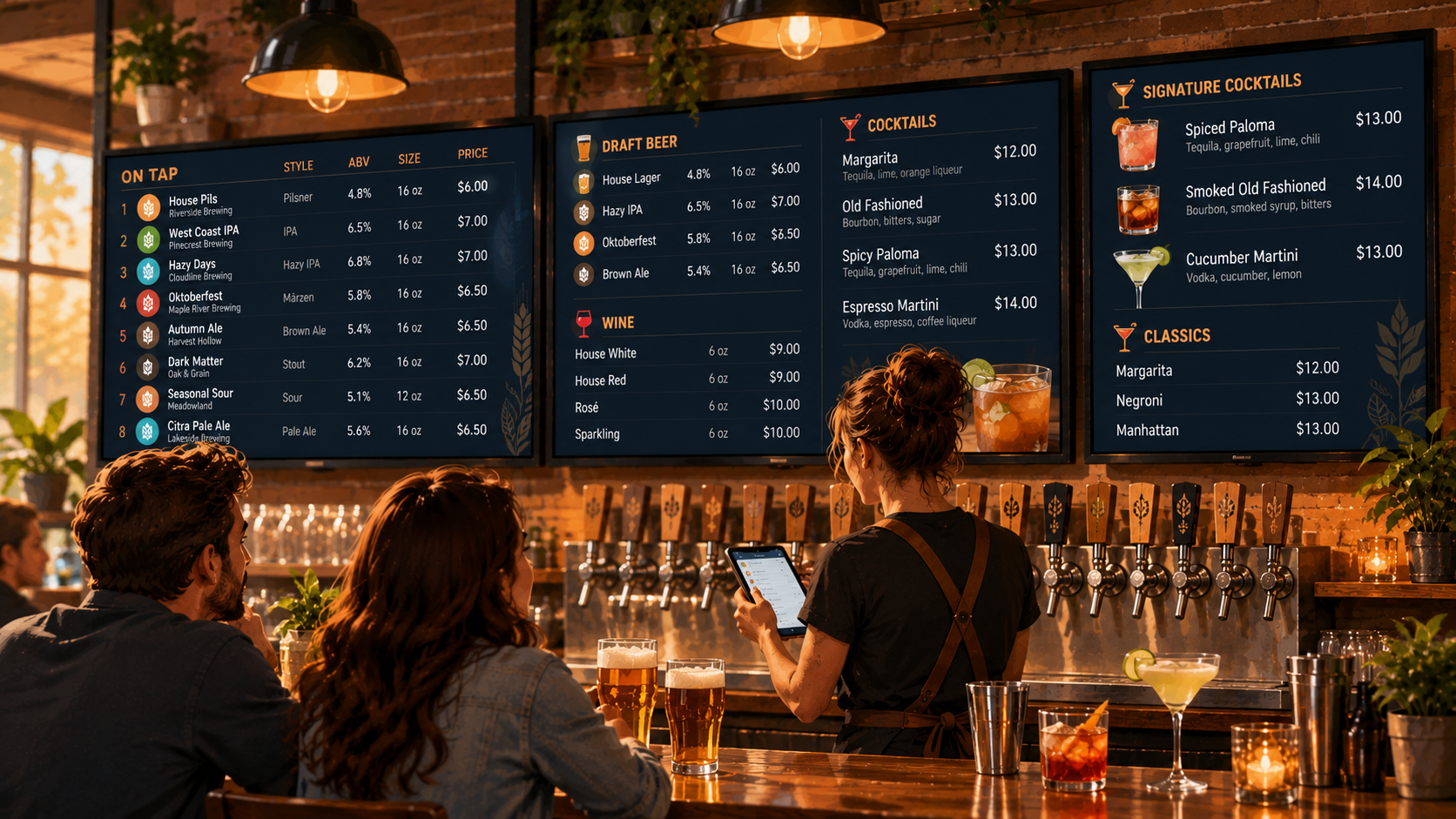
A larger brewery might have separate screens for beer, cocktails, wine, and seasonal specials.
If you have multiple locations, the requirements change again.
When comparing digital menu platforms, check:
- How many TV screens are included.
- Whether additional screens cost extra.
- Whether each screen can display a different menu.
- How multiple locations are managed.
- Whether pricing changes based on the number of locations.
DigitalPour advertises unlimited menus and displays, including portrait and landscape layouts, without an additional charge for each display.
Pourwall offers one screen on its free Basic plan and unlimited screens with Premium.
Pourwall Premium also supports managing multiple locations, with pricing calculated per location.
Don't compare plans based only on the number of screens.
Think about how those screens will actually be used.
Two TVs showing the same tap list is different from several screens displaying separate beverage categories across multiple bars.
Make sure the plan supports the setup you have in mind.
5. Do you need TV, QR, website, and printed menus?
Your tap list probably doesn't live in just one place.
Guests might see it on the TV behind the bar, check it on their phones, or browse it on your website before visiting.
Some venues also keep printed menus on tables.
If you manage each version separately, every beer change becomes several edits.
DigitalPour supports big-screen menus, web menus, and printed menus built from shared beverage information. It also offers a guest-facing mobile app where people can browse available drinks.
Pourwall supports TV menus, QR code menus, printed menus, and website embeds. Its QR, print, and website options are included with Premium.
Both platforms can help reduce the need to maintain completely separate beverage lists.
The question is which formats your guests actually use.
If most orders happen at the bar, TV menus may be your priority.
If guests regularly sit at tables, QR and printed menus might matter just as much.
And if your website gets visitors checking what's on tap, an embedded menu is worth considering.
Choose the formats you'll use, not the ones that just look good on a feature list.
6. Do you need POS integration and inventory reporting?
This is one of the more important differences to understand when comparing DigitalPour with a menu-focused alternative.
DigitalPour offers integrations with several POS systems, including Square, Clover, and Lightspeed, along with other supported providers.
It also includes inventory and reporting tools designed to help venues understand keg performance, beverage sales, and losses.
Those features can be useful if you're trying to manage more than the information shown to guests.
For example, you might want to compare how different beers perform, review draft losses, or connect keg changes with your POS.
Pourwall focuses on creating, displaying, and updating beverage menus.
It isn't a replacement for a POS system or a dedicated draft inventory management platform.
If inventory reporting and POS integration are essential to your operation, DigitalPour deserves a closer look.
If you already have systems handling those jobs and only need to keep your drink menus current, a simpler menu-focused platform may be enough.
The goal isn't to find software that does everything.
It's to avoid paying for complexity you don't need while making sure the tools you do need are covered.
7. How much does each platform cost?
Price matters, but the monthly subscription isn't always the whole cost.
You also need to consider setup, hardware, additional locations, and the features included in each plan.
DigitalPour uses quote-based pricing. Its website advertises month-to-month service without long-term contracts, but doesn't publish a standard subscription price.
That means you'll need to request a quote based on your venue's requirements.
Pourwall publishes its pricing:
| Plan | Price | What's included |
|---|---|---|
| Basic | Free | One TV screen, unlimited taps, live digital menu updates |
| Premium Monthly | $30/month/location | Unlimited screens, QR menus, printed menus, website embeds, and additional features |
| Premium Annual | $290/year/location | Premium features with annual billing |
For a small bar that only needs a digital tap list on one TV, Pourwall's free plan offers a way to get started without a subscription.
For larger venues, compare the full cost of the features you'll actually use.
When requesting a DigitalPour quote, ask whether setup, support, integrations, and any required hardware are included.
A fair comparison uses the total cost for your actual setup, not just the advertised monthly price.
8. How much setup and ongoing management do you want?
Software doesn't stop requiring attention once it's installed.
Someone still needs to manage the tap list, update prices, add new beers, and make sure everything looks right.
DigitalPour offers onboarding support and a broader set of operational tools.
That may be a good fit for a venue that wants inventory, POS integrations, reporting, and menu management working together.
Pourwall is designed around a more focused job: getting your beverage menu onto screens and keeping it updated.
Its setup is built for bars and breweries that want to manage menus without introducing a complicated new process.
When evaluating either option, consider who will actually use the software.
Will it be the owner?
The bar manager?
Whoever happens to be working when a keg kicks?
If several people need to make changes, the editing process should be simple enough for them to use during service.
You shouldn't need to call the person who set up the system every time you rotate a beer.
9. DigitalPour vs. Pourwall: How do they compare?
Here's a practical overview of the main differences.
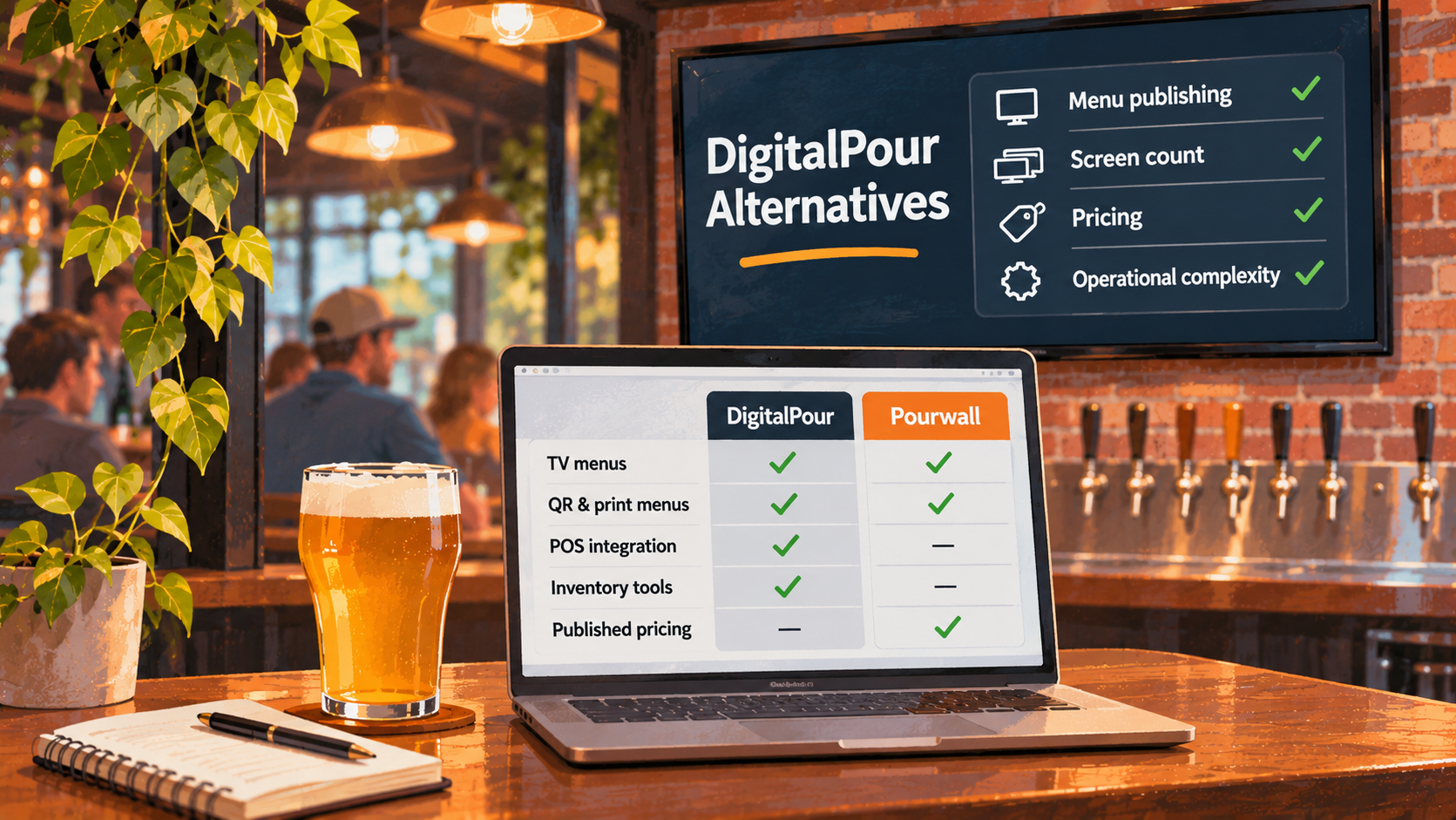
| Feature | DigitalPour | Pourwall |
|---|---|---|
| Digital TV menus | Yes | Yes |
| Mobile menu updates | Yes | Yes |
| Multiple TV screens | Unlimited displays advertised | Unlimited with Premium |
| Website menus | Yes | Yes, with Premium |
| Printed menus | Yes | Yes, with Premium |
| QR menus | Confirm current offering | Yes, with Premium |
| POS integrations | Yes, supported providers | Not a documented feature |
| Draft inventory reporting | Yes | Not a documented feature |
| Guest discovery app | Yes | Not a documented feature |
| Free plan | No free plan advertised | Yes, one screen |
| Published pricing | Quote required | Free, $30/month/location, or $290/year/location |
The comparison comes down to the kind of work you need the software to do.
DigitalPour covers a wider range of draft beverage operations.
Pourwall focuses on beverage menu management and publishing.
Neither approach is automatically better for every venue.
10. When does Pourwall make sense as a DigitalPour alternative?
Pourwall is worth considering if your main goal is to keep your beverage menus accurate and easy to manage.
That might mean:
- Replacing a manually updated TV tap list.
- Updating beers from your phone when the lineup changes.
- Displaying different beverage menus across multiple screens.
- Keeping QR, printed, and website menus connected to your beverage information.
- Managing menus for more than one location.
- Getting started with a free single-screen menu.
If you're already happy with your POS and inventory tools, you may not need another system trying to manage those parts of your bar.
But if you're specifically looking for keg-level reporting, POS integrations, and broader draft inventory management, DigitalPour offers capabilities that Pourwall isn't designed to replace.
The right choice depends on the problem you're solving.
Choosing the right DigitalPour alternative
Before switching digital menu platforms, think about what your staff does every day.
How often do beers change?
How many screens need updating?
Do guests use QR and printed menus?
Do you need inventory reporting, or do you just need the correct tap list on the TV?
DigitalPour and Pourwall both help bars and breweries manage digital beverage menus, but they approach the job differently.
DigitalPour combines menus with inventory tools, reporting, and POS integrations.
Pourwall concentrates on keeping beverage menus current across the places guests see them.
If that second approach sounds closer to what your bar needs, explore Pourwall and see how its digital menus work.
You can start with one TV screen for free, then move to Premium if you need more screens or menu formats.